A free app for designing homes
4Plan - Home Design Planner is a free productivity app by Alatona. It’s mainly used as a home design and interior planning tool, as it lets users create floor plans and room layouts. It’s an easy-to-use program that doesn’t require professional designing software skills, making it accessible to beginners.
Top Recommended Alternative

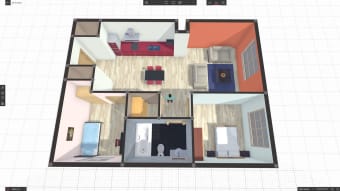
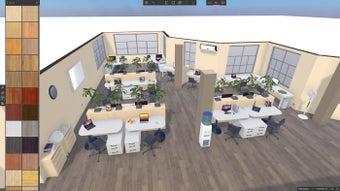
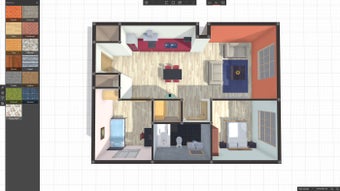
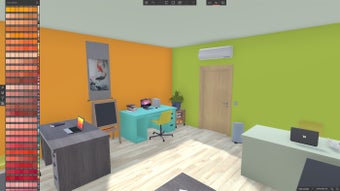
With the 4Plan - Home Design Planner app, you’ll get access to a large catalog of furniture and decoration, so that you can design to your heart’s content. It features photorealistic materials, which greatly enhance realism and rendering, allowing you to see your beautiful 2D and 3D designs come to life.
Explore creative ideas for your home
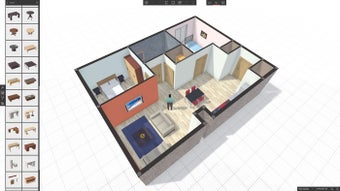
4Plan - Home Design Planner features a vast library of decoration elements, ranging from different types of furniture to wallpapers. The controls for adding objects are as simple as drag and drop. To place an object, choose the one that you like from the catalog, and then click on it and drop it wherever you want it to be placed in your plan.
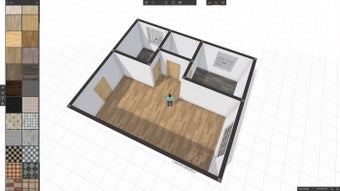
Of course, being a design app, you can adjust the properties of furniture, specifically their width, height, and depth. You can also apply texture to furniture, letting you customize and alter its appearance to your liking. The materials are very photorealistic, allowing excellent previews when sharing designs with colleagues. However, do note that you need a premium subscription for advanced tools and a larger catalog.
Once you’re content with the design you’ve made, you can go to the settings to enable dimensions for one last check of the plan. Alternatively, you can also have this turned on before starting. After finalizing, you can rename the project’s file professionally if you’re planning to share it for work purposes. Otherwise, you can print out your designs as vector PDFs if you wish for a high-quality hard copy.
Accessible and easy to use
Overall, 4Plan - Home Design Planner is catered to those who wish to visualize and create home layouts without any professional training in interior design. The app’s simple controls, clean interface, and vast collection of indoor and outdoor furniture all make it very accessible to beginners in the field. It is as if you are designing a home in a The Sims game when using it.